Managing Work requests
2026-01-19Last updated
You can view, open, and manage work requests directly from your desktop. Access full details, track progress, and add comments to keep work organized across your team.
Procedure
-
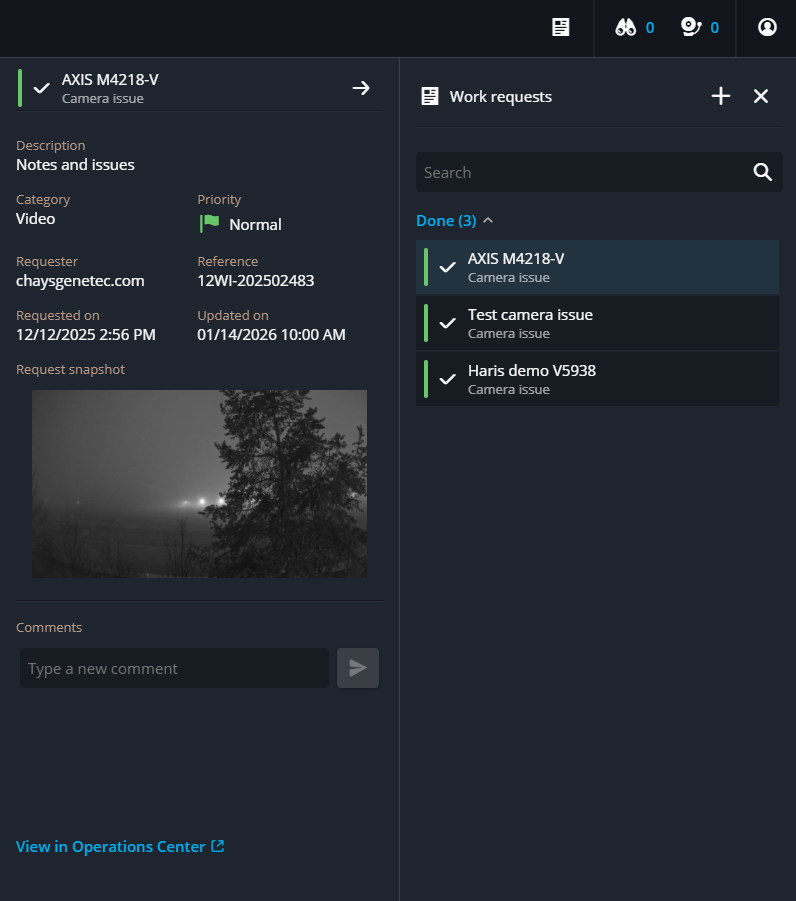
Click Work requests (
 ) to view the work requests available to
you.
Your work request appears under the appropriate header, based on how the Genetec Operations Center board layout has been configured.
) to view the work requests available to
you.
Your work request appears under the appropriate header, based on how the Genetec Operations Center board layout has been configured. -
(Optional) To view additional details of the work request in Operations Center, click
View in Operation Center.
This action redirects you to the Operations Center board. Viewing or accessing this section is controlled by user privileges.